

 Global
 Argentina
 Chile
Chile Colombia
 Mexico
 Peru
Peru United States
 Superpower AI
How to use the process board (Kanban) effectively?
Get on Board combines a talent database with an ATS, so you can manage recruitment in one place. The Kanban board is key because your reporting depends on how you move applicants through phases.
Use the board to manage phases and communication
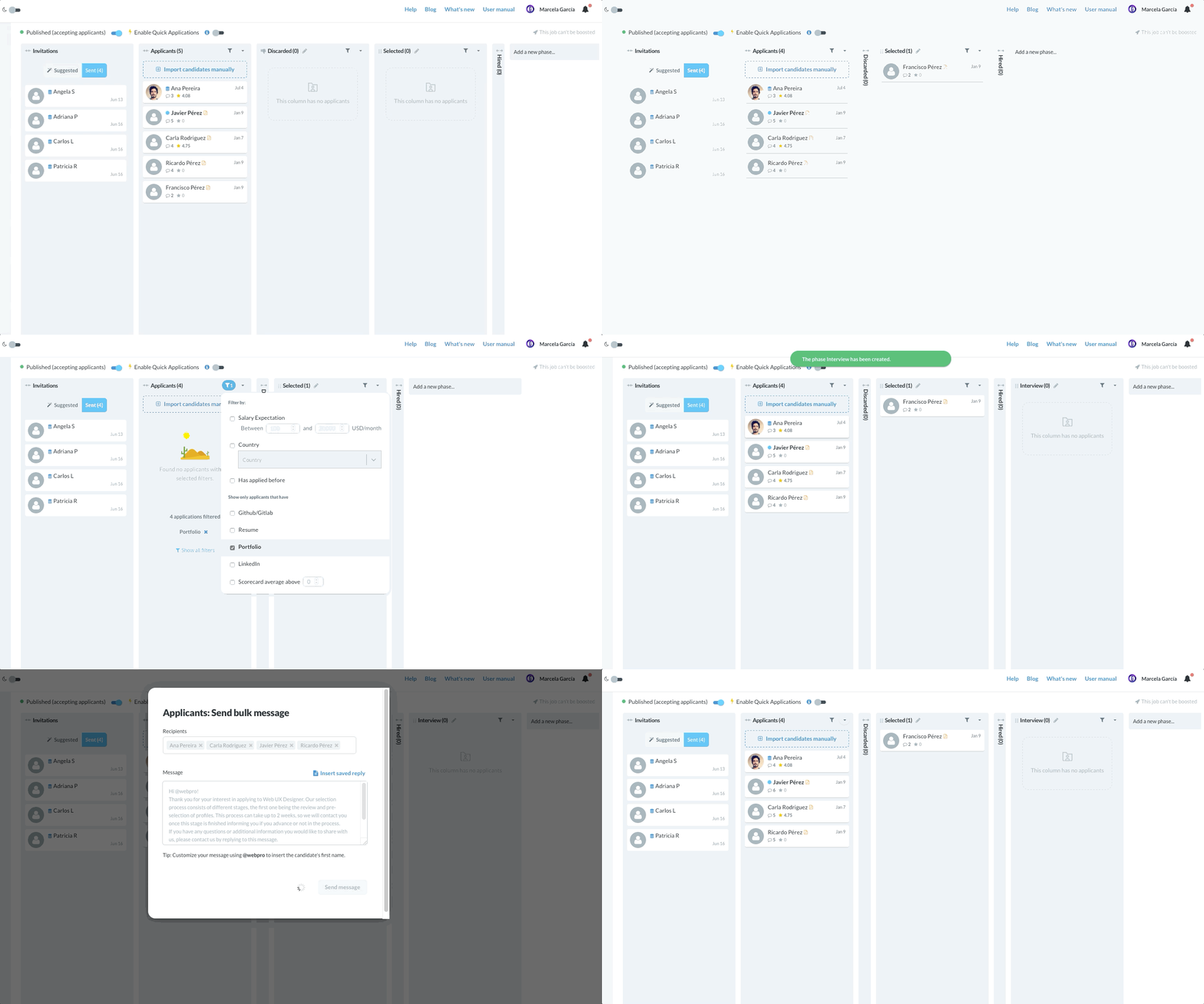
When you open a process for the first time, you will see four default columns: Applicants, Selected, Discarded, and Hired. If the job has Superpower AI enabled, you can also see Selected by Superpower right after Applicants.
When professionals apply, they arrive in Applicants. You can filter applicants and move them by dragging cards or using the Move to action.
The Selected by Superpower phase is created by Get on Board and can help you review stronger matches sooner on Superpower-enabled jobs.
You can:
- Create as many phases (columns) as you need.
- Collapse columns and reorder them to match your workflow.
- Send bulk messages per phase to save time.
- Create reusable text with message templates.
Discard applicants with clear reasons
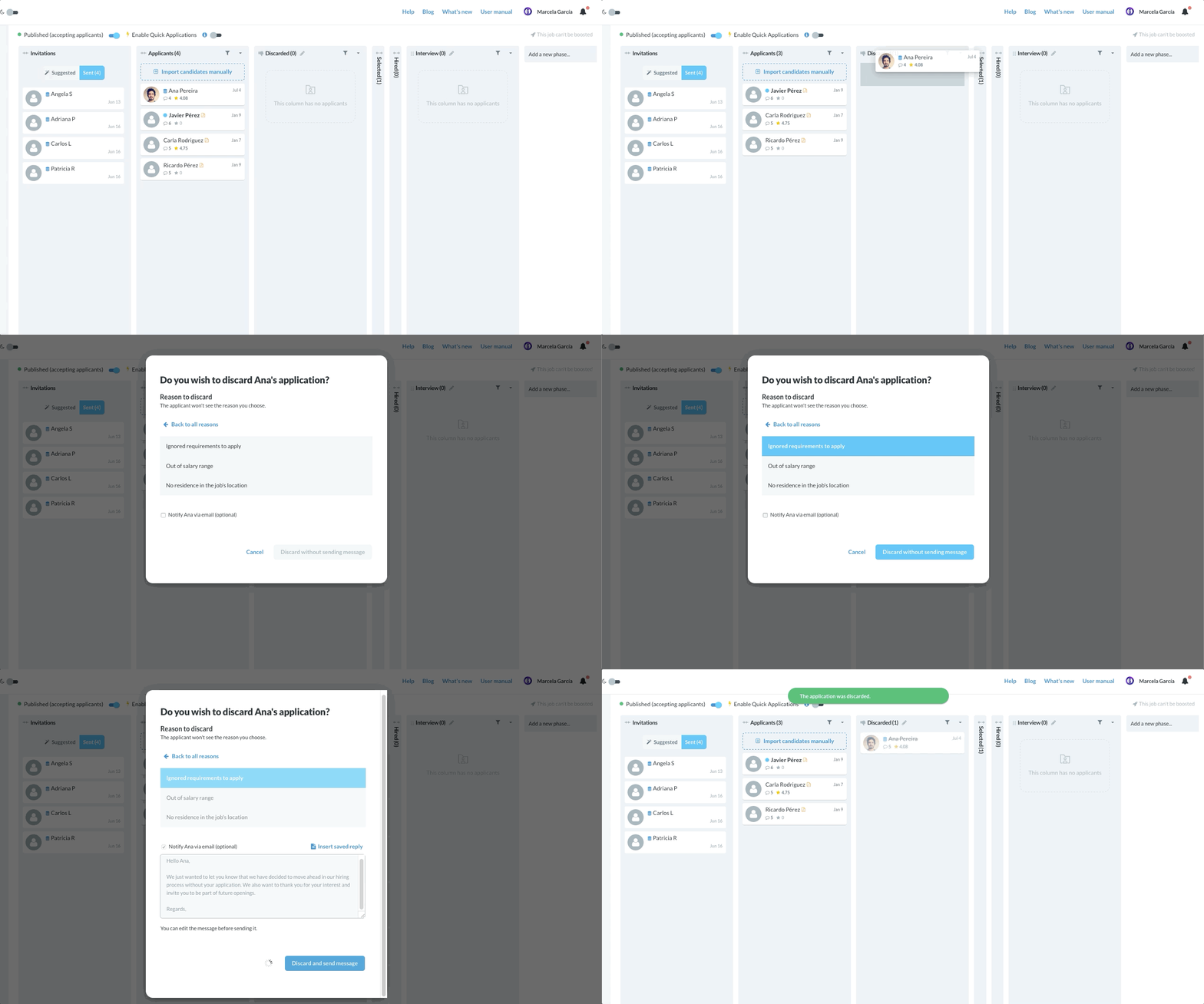
When you move someone to Discarded, select a discard reason. This improves reporting and helps you compare processes later.
You can also notify each applicant by email with the optional message in the discard modal. Learn more about discard notifications.
Close the process when you hire
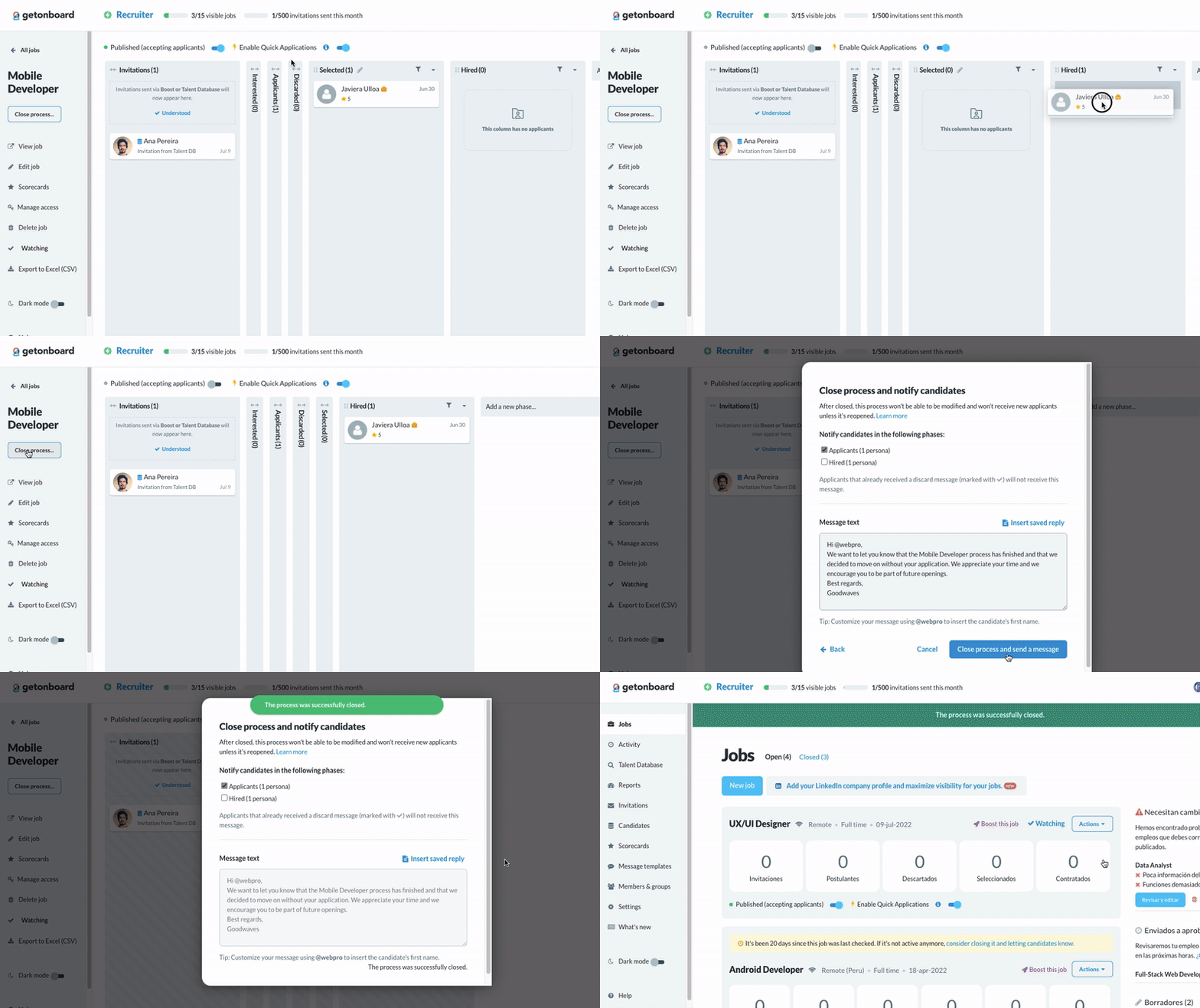
Once you have a hire, move the person to Hired and close the process. Closing the process keeps your metrics accurate. If you want to notify the rest of the applicants, send a bulk message or discard notification from the process view.
You can reopen a closed process as long as it is not older than four months.
 More from Recruitment process and evaluation

 Sign in with Google
